Reprocessing webhook deliveries
In the BTG Pactual Empresas webhook ecosystem, in addition to viewing the deliveries we make to your server, you can identify those marked as failed and request their reprocessing without needing to contact us.
This gives you more agility in your debugging process by following our self-service principles.
Events panel
To access the events panel:
- Open your application's details and go to the "Webhooks" tab.

- Identify your registered Webhook.

Click the three dots to open more options and click "events".

- You are now on this page:
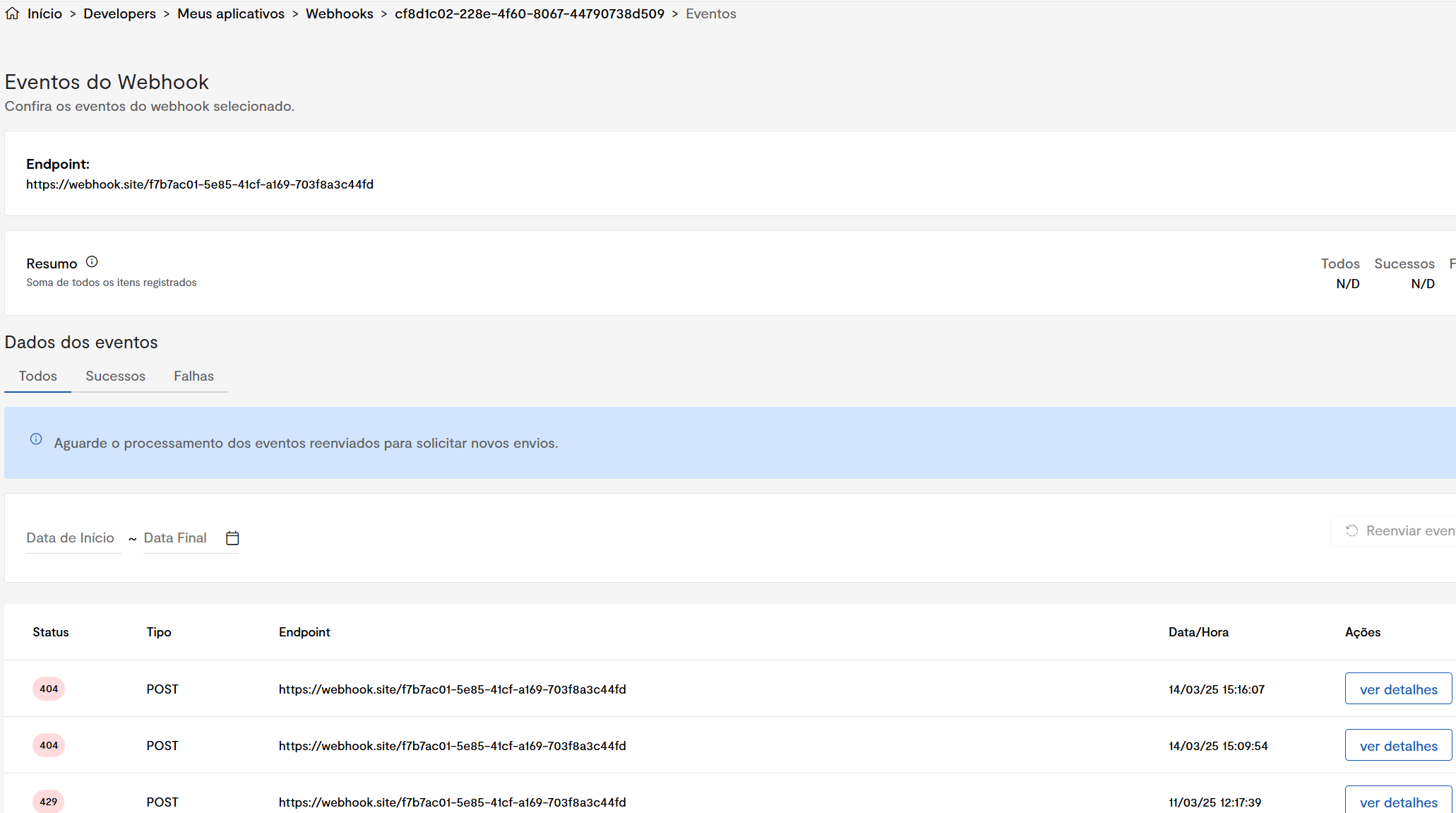
Here we can see the events that were sent, the statuses our system received, the endpoint, and the event details.
Reprocessing webhook events
Reprocessing webhook events is the process where one or more events, with or without a failure, are forwarded to a special queue, at the user's request, to be resent to the webhook endpoint.
This feature is extremely useful when there are one or more failed events or when the endpoint has changed and the user wants to receive old events at their new endpoint.
Reprocessing can be done in two different modes:
Single reprocessing
In single reprocessing, the user chooses a delivery, with or without a failure, and resends that specific webhook event.
- First, the user identifies the event they want to resend and then clicks "view details".

- After that, the user clicks the "Resend event" button.
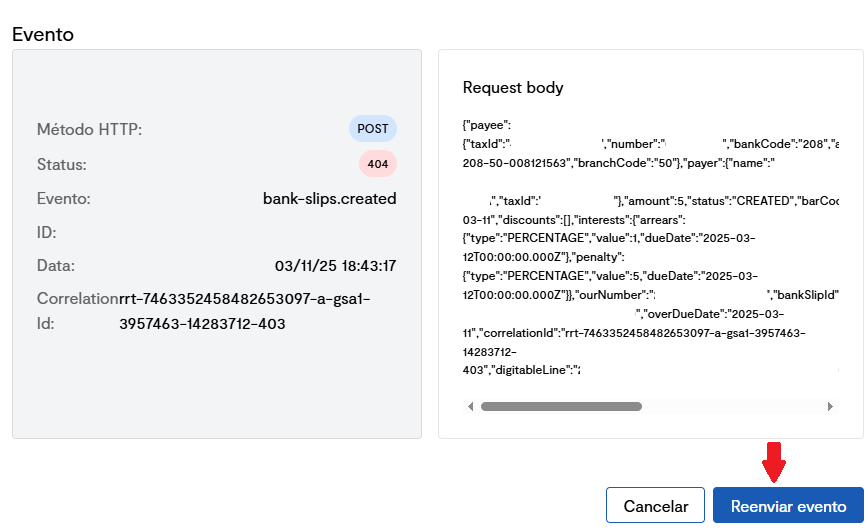
If the process succeeds, you will get an "event resent" confirmation in the top-right corner of the page.

Batch reprocessing
Batch reprocessing is used when the user wants to resend several events at once, commonly used when your server went through a period of instability.
The events included in the reprocessing batch are selected using the event status and date filters.

- First, the user chooses the reprocessing period and status of the events they want to resend.

- After that, the user clicks the "Resend event" button.

On success, the user will get a success confirmation in the top-right corner of the page.